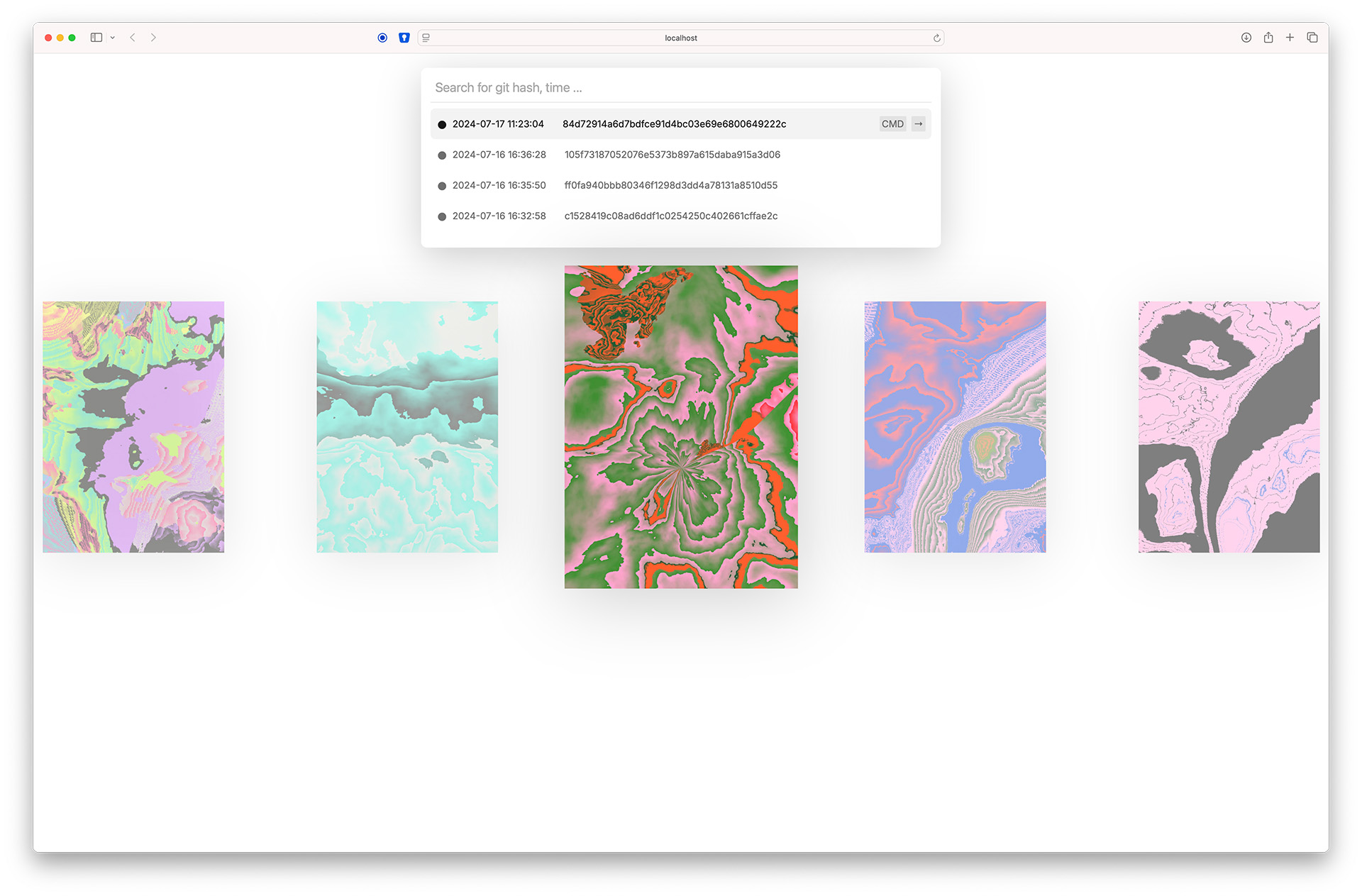
P5 Timemachine is an environment for developing p5.js projects
Its main goal is to let you experiment and create freely. When exporting images or taking screenshots, p5 Timemachine automatically backs up the current code state and saves it using Git. Since Git can sometimes seem intimidating to artists and designers, p5 Timemachine handles all version control quietly in the background.
No file duplication is needed, just keep working on the same project and don't worry about variables and deleting files.
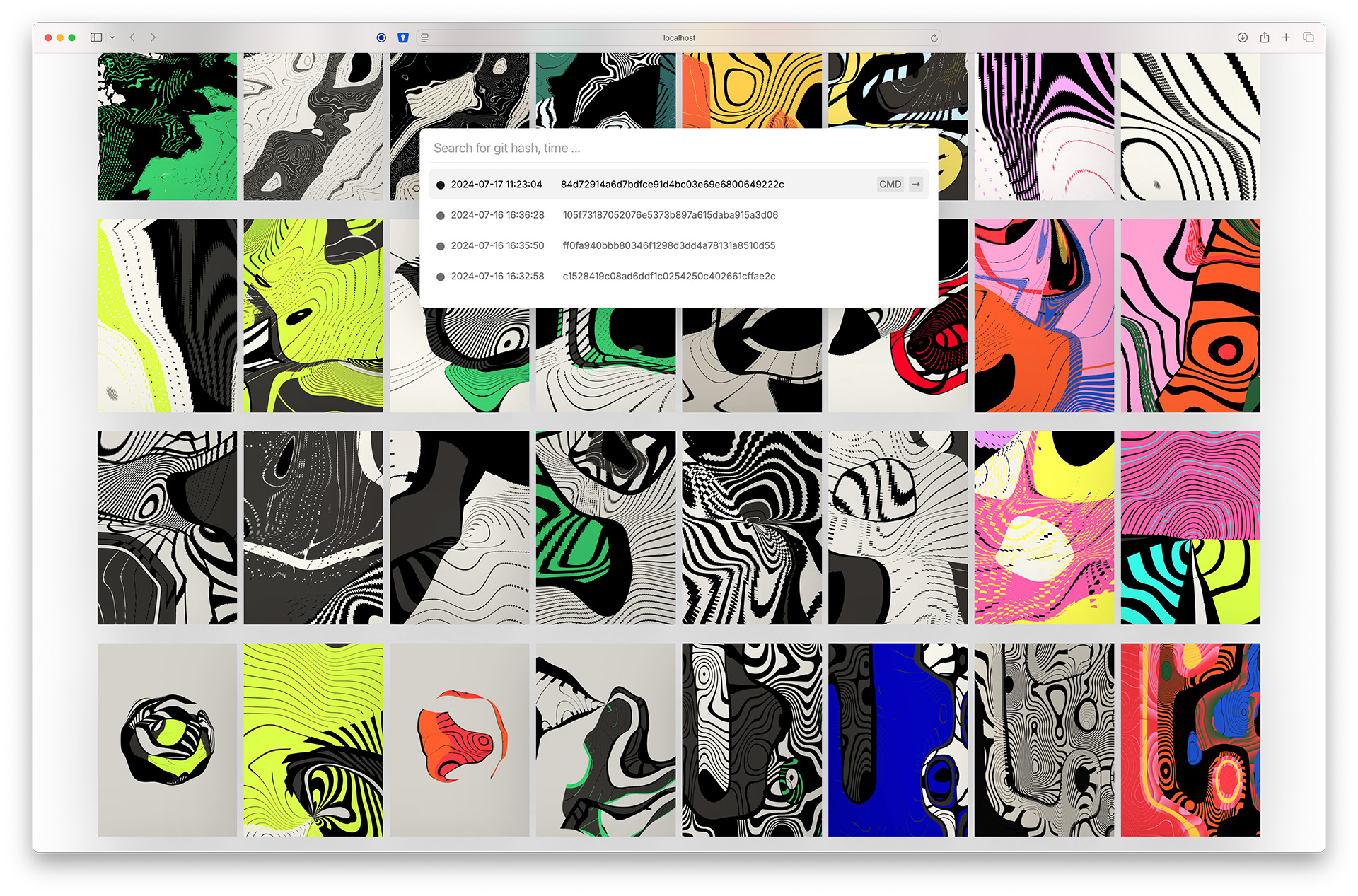
The tool also provides graphical interfaces to browse through previous outputs and restore code to specific moments or results.
By using storing seeds and all variables, it can even recreate sketches that rely on random placement or numbers. The seed and Git hash are stored directly in the filename.
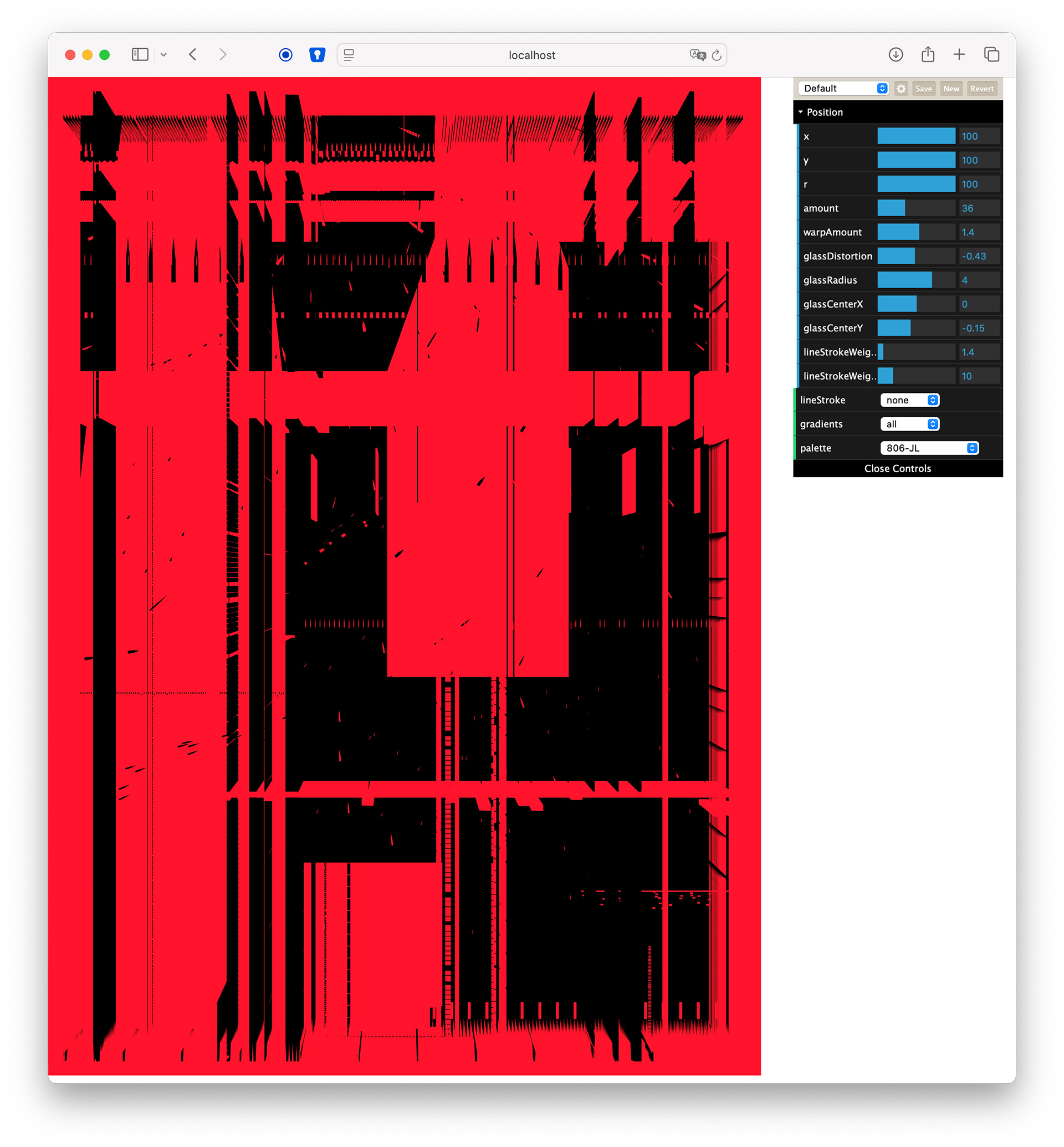
The dat.gui library is also integrated, enabling quick exploration of variable variations without ever leaving the browser.
Requirements
node.js needs to be installed. e.g. for MacOS, install homebrew then run
> brew install node
alternatively, you can use the node.js installer from the official website: https://nodejs.org/en/download/
Download & Installation
To get started, download the latest release from the GitHub repository.
Unzip the archive and install the dependencies in the terminal.
> npm install
The p5.js template see repo here loaded as a submodule automatically to project/ - in this folder is the source code and a download folder. All screenshots/image exports are saved in project/download/ The script searches for a free port for the webserver and for websockets (for browser auto refresh...) and logs on the command line.
> node server.js ---------- Cloning the repository... Repository cloned. Initializing submodules... Submodules initialized. Updating submodules... Submodules updated. Project is hosted on http://localhost:3007 WebSocket server is running on ws://localhost:8000
Under the hood
A node.js server is running the project and a websocket server is used to refresh the browser automatically when the code changes.
A p5.js template is loaded as a submodule automatically to project/ - in this folder is the source code and a download folder. All screenshots/image exports are saved in project/download/ The script searches for a free port for the webserver and for websockets (for browser auto refresh...) and logs on the command line.
> node server.js ---------- Cloning the repository... Repository cloned. Initializing submodules... Submodules initialized. Updating submodules... Submodules updated. Project is hosted on http://localhost:3007 WebSocket server is running on ws://localhost:8000
In the project view you can create new screenshots with ctrl+s, a git hash and the current seed is added to the filename and the current code state is saved in the background. You can access a projects timemachine by /timemachine/ in the browser and browse through the previous outputs and restore code to specific moments or results.